Native Mac & iOS app
for your Hermes AI agent.

Scarf is a native macOS and iOS GUI for the Hermes AI agent. See every session, project, skill, memory file, and cron job — locally on your Mac and remotely from your iPhone over SSH.

Requires Hermes installed at ~/.hermes/.

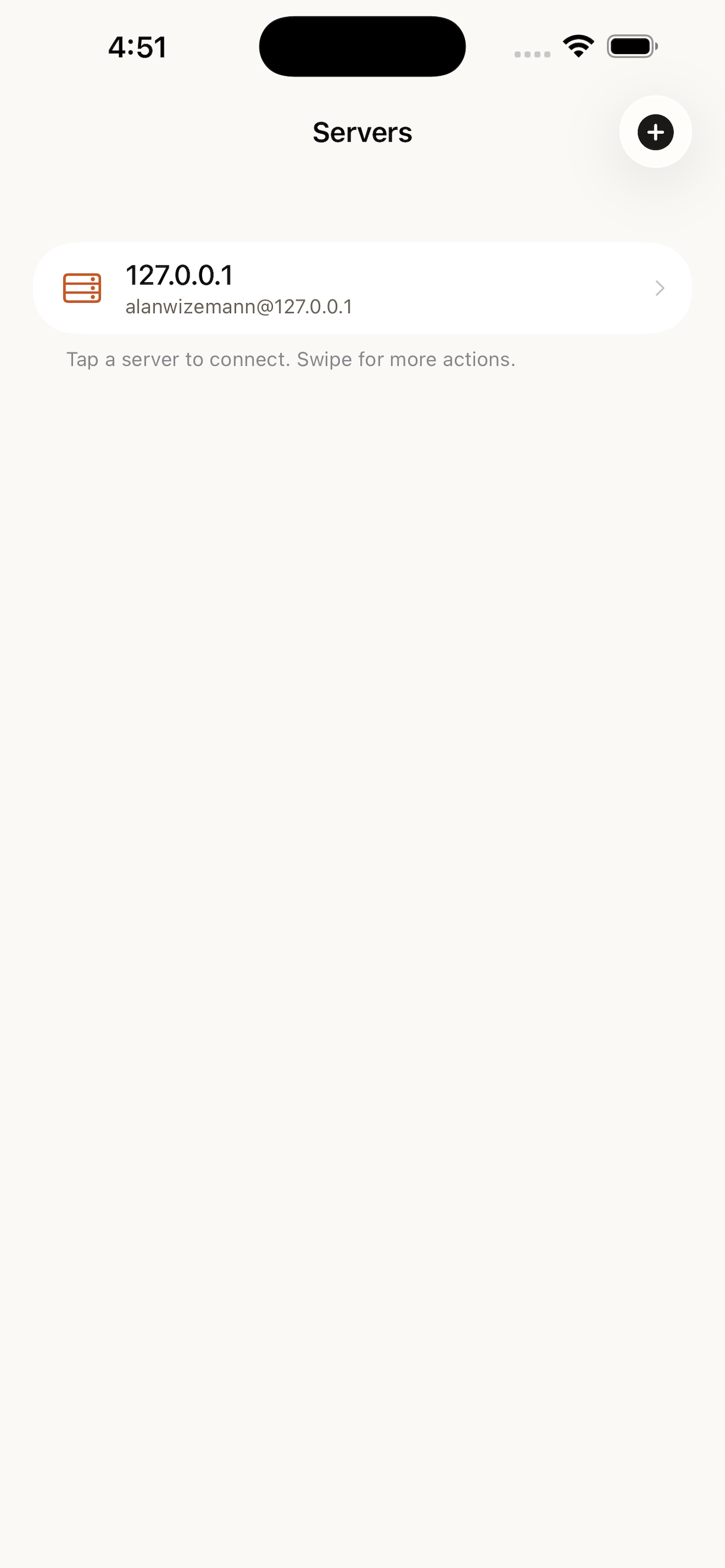
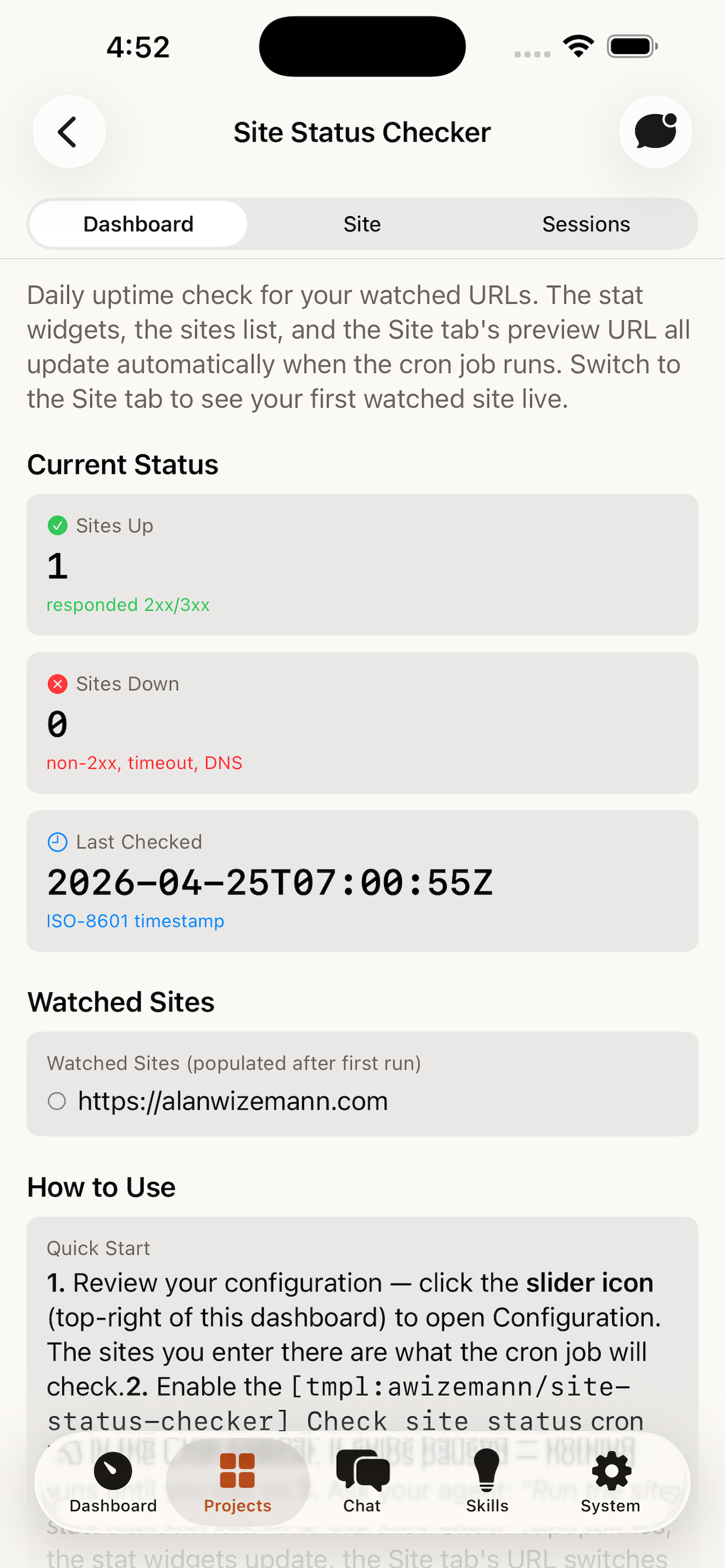
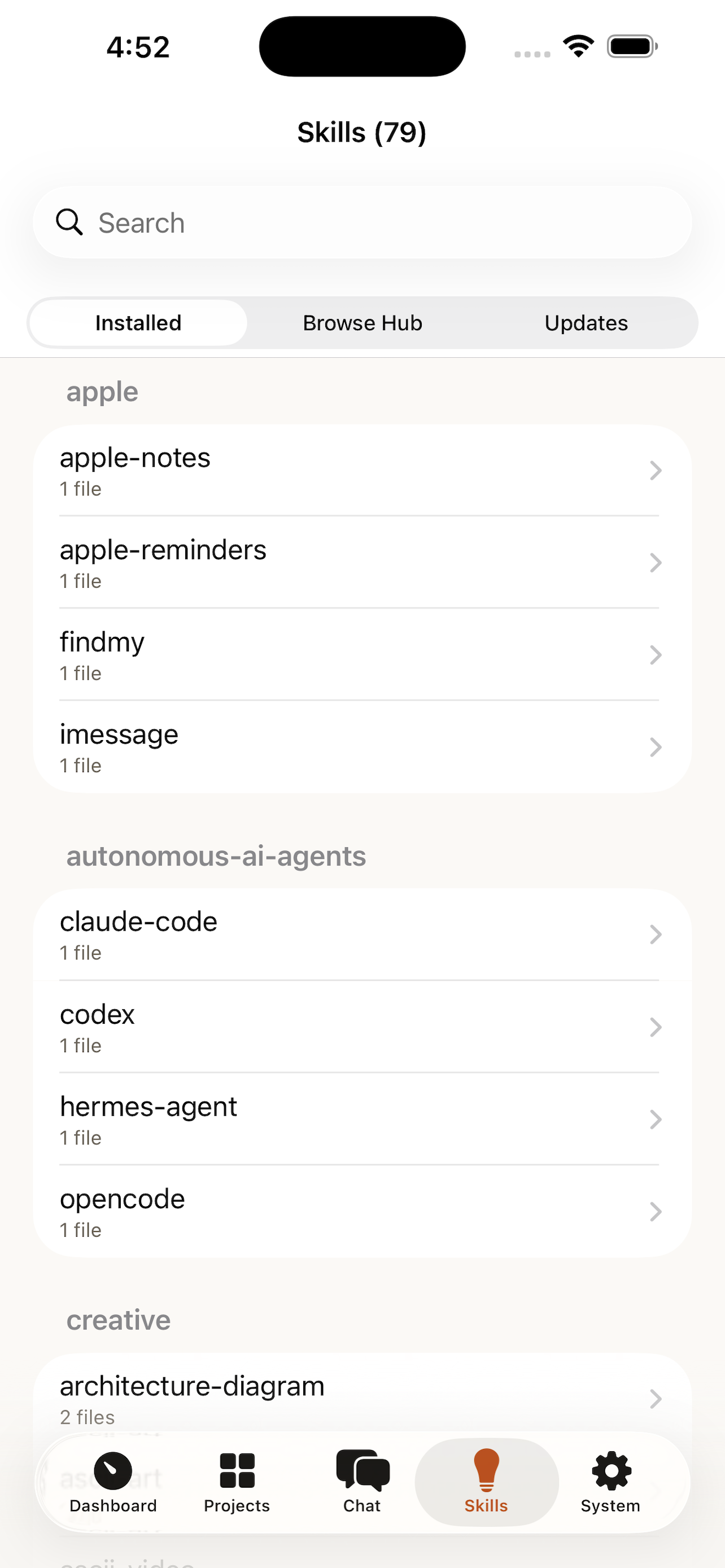
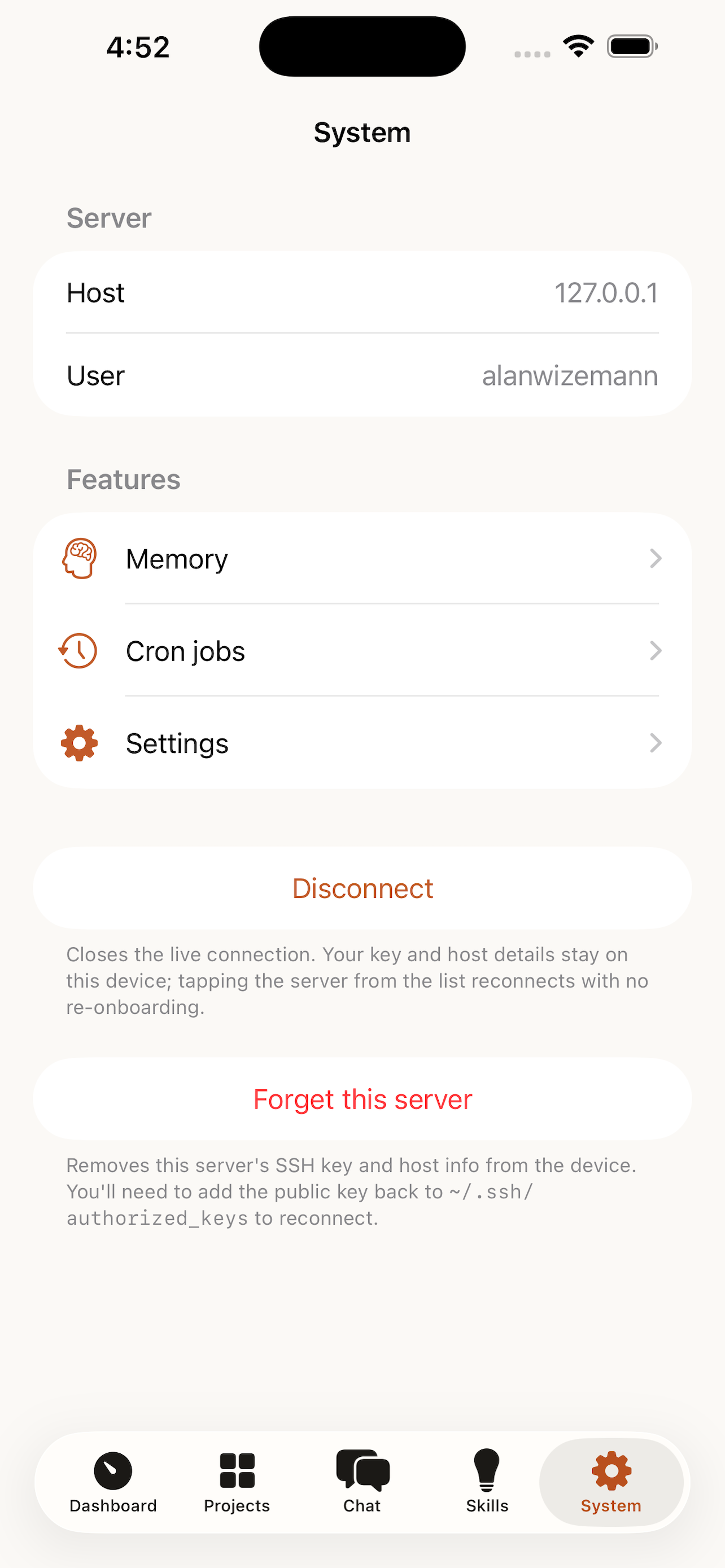
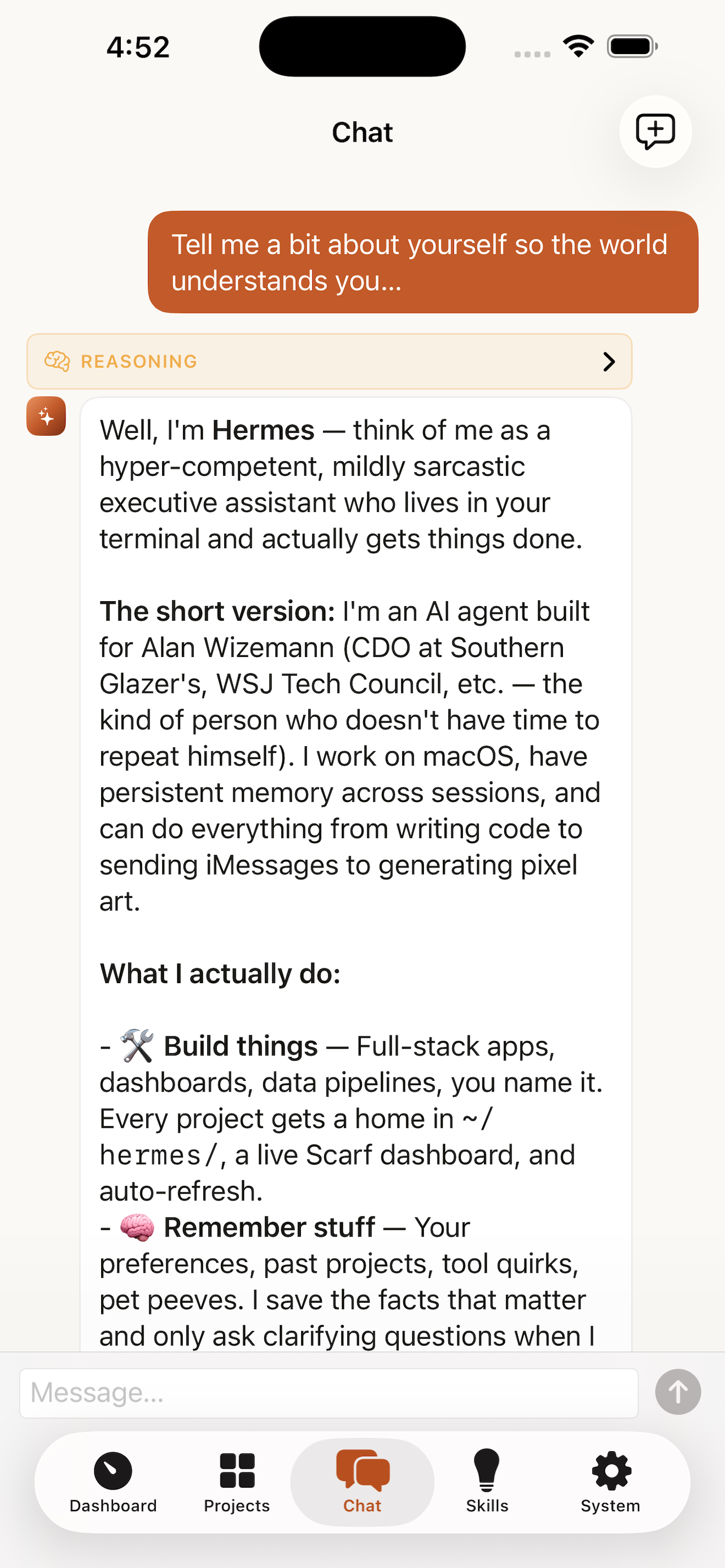
Scarf on macOS — chat view streaming a response with a tool-call card ScarfGo on iPhone — chat with the Hermes agent over SSH

What Scarf does

Scarf is a native macOS and iOS GUI for the Hermes AI agent. It surfaces every part of a running Hermes installation — chat sessions, project workspaces, memory files, installed skills, MCP servers, cron jobs, messaging gateways, logs, and configuration — through a sidebar-driven app on Mac and a tab-based companion on iPhone. Scarf reads from ~/.hermes/state.db directly (read-only), streams agent replies in real time over the Agent Client Protocol, and connects to remote Hermes installations through your existing SSH config. There is no telemetry, no login, and no separate cloud service.

Built for the way Hermes actually works

Live agent sessions

Real-time streaming chat over the Agent Client Protocol. Tool calls render inline with collapsible argument and output panes. Tool-permission requests surface as interactive dialogs you can approve, deny, or stage. Reasoning and thinking blocks display when the model emits them. Resume any prior session from the sidebar, or jump back into a conversation that disconnected — Scarf reconnects to the same session id.
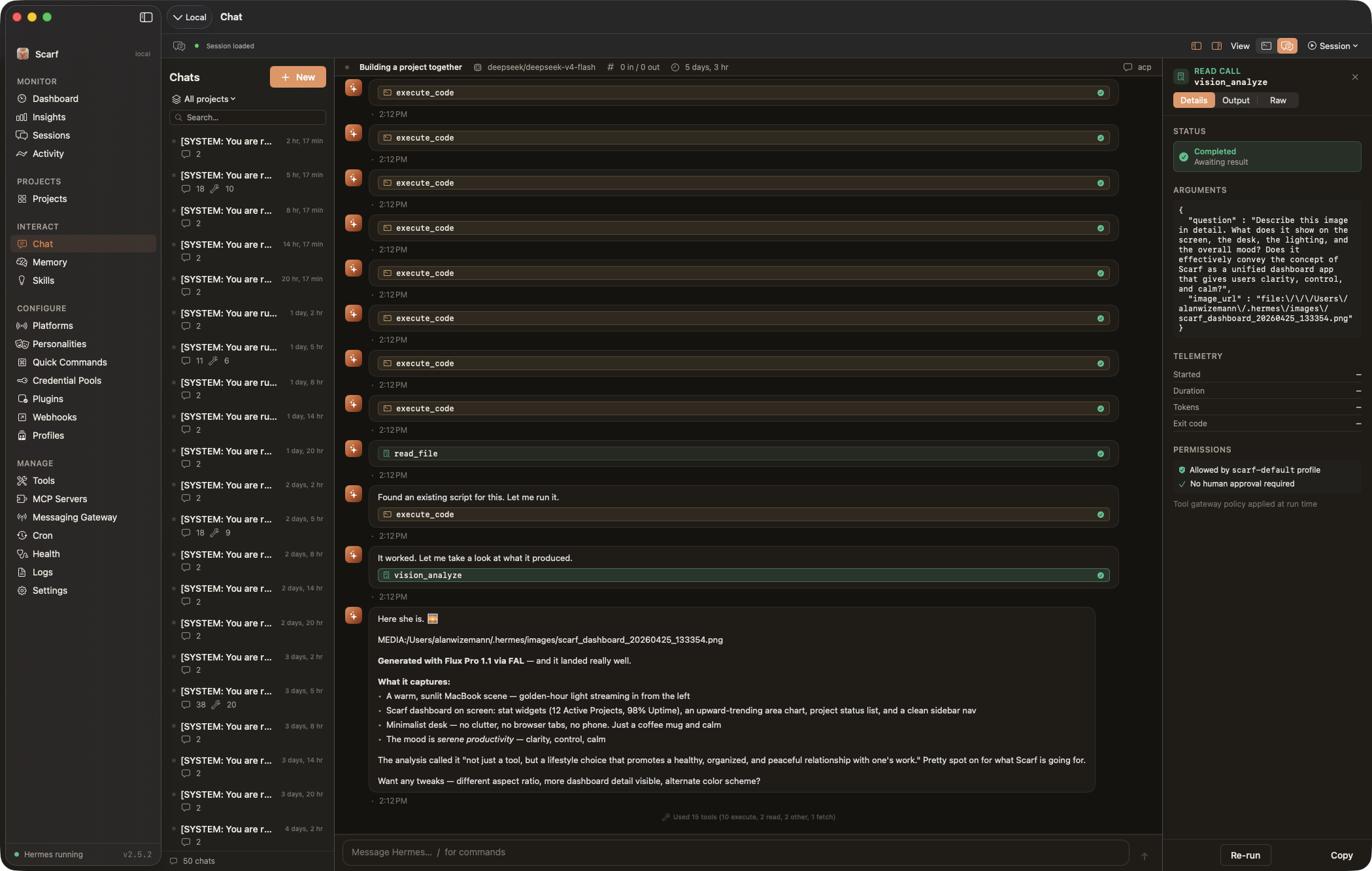
Mac app — chat view with a tool-call card and a streaming response

Project workspaces

Per-project chat with the agent's working directory pinned, custom dashboards rendered from a JSON spec the agent itself can author, project-scoped slash commands defined as Markdown files, and a Scarf-managed AGENTS.md block that gives Hermes project context before every session boots. Templates package these into a single .scarftemplate bundle you can share or install with one click.

Mac app — project dashboard with stat boxes and a chart widget

Multi-server over SSH

One window per Hermes server. Local ~/.hermes/ is synthesized automatically; remote servers connect through your existing ~/.ssh/config, ssh-agent, ProxyJump, and ControlMaster. File I/O routes through scp/sftp; the SQLite database is served from atomic snapshots; chat tunnels as ssh -T host hermes acp with JSON-RPC end-to-end. There is no companion service in the middle.

Mac app — sessions browser filtered to a remote server

Memory, skills, MCP

Edit MEMORY.md and USER.md with live file-watcher refresh and external-provider awareness. Browse the Skills Hub across six registries, install, update, and inspect SKILL.md frontmatter. Configure MCP servers from a curated preset list (GitHub, Linear, Notion, Sentry, Stripe) or fully custom; test the connection in-app and watch the discovered tool list populate.

Mac app — MCP servers configuration view

Cron & messaging gateways

Create, edit, pause, resume, run-now, and delete cron jobs without touching the CLI — with human-readable schedules ("Every weekday at 9:00 AM") and the underlying expression a tap away. Native GUI for thirteen messaging platforms (Telegram, Discord, Slack, WhatsApp, Signal, iMessage, Email, Matrix, Mattermost, Feishu, Home Assistant, Webhook, CLI) with per-platform credential forms and connectivity dots.

Mac app — cron manager with paused and active jobs

Insights & health

Token usage and cost broken down by day, model, and platform; reasoning tokens tracked separately. Activity heatmaps and notable sessions across 7, 30, 90 days, or all time. Component-level health checks, on-demand diagnostics, and a one-click debug report uploader for Hermes support — with a confirmation dialog before anything leaves the machine.

Mac app — dashboard with token usage, recent sessions, and health

ScarfGo for iPhone

Your Hermes agent, on your phone.

ScarfGo is the native iOS companion to Scarf. It speaks SSH directly to your Hermes host using Citadel — a pure-Swift SSH stack, no companion service, no developer-controlled relay. Generate an Ed25519 keypair on the device, paste the public half into authorized_keys, and you have full project-aware chat, session resume, memory editing, cron browsing, and skill management on iOS 18+.

  • Pure-Swift SSH — keys live in the iOS Keychain and never leave the device.
  • Multi-server: connect to as many Hermes hosts as you have SSH access to.
  • Project-scoped chat writes the same Scarf-managed AGENTS.md block as Mac.
  • Same session attribution, so "which project does this conversation belong to?" matches across devices.
Join the public TestFlight iOS 18+

Why a native app

Native, not Electron

One Mach-O binary. SwiftUI on macOS 14.6+ and iOS 18+. Kilobytes of memory and negligible energy use compared to a bundled Chromium. Drag-and-drop, sharing, the menu bar, Spotlight, and accessibility all behave the way a Mac or iPhone user expects.

Read-only safe

Scarf opens ~/.hermes/state.db in read-only WAL mode. The app cannot corrupt your Hermes data even if it crashes mid-write — because it never writes. Memory files and cron jobs are the only mutable surfaces, both with explicit confirmations.

Open and inspectable

MIT licensed, pure Swift, zero external runtime dependencies. Build it yourself with xcodebuild in two minutes. Sparkle auto-updates ship signed, notarized, EdDSA-verified zips — never silent over-the-wire mutations.

Project templates

A .scarftemplate bundle packages a project's dashboard, skills, cron jobs, memory blocks, slash commands, and configuration schema into one shareable file. Browse the public catalog and install with a single click.

Browse the template catalog →

Download

Scarf for Mac

macOS 14.6 (Sonoma) or later · Apple Silicon & Intel · Universal binary

  • Notarized, code-signed Developer ID build
  • Sparkle auto-updates with EdDSA signature verification
  • Free and open source under the MIT license
Get the latest release GitHub Releases · .zip

ScarfGo for iPhone

iOS 18.0 or later · iPhone · public TestFlight

  • Pure-Swift SSH — no companion service required
  • Multi-server support, identical to Mac
  • Free and open source under the MIT license
Join the TestFlight Apple TestFlight

Both apps require Hermes installed at ~/.hermes/ on each host you want to manage. Scarf does not include Hermes itself — see the Hermes installation guide first.

Frequently asked questions

What is Scarf?

Scarf is a native macOS and iOS GUI for the Hermes AI agent. It surfaces Hermes's sessions, projects, memory, skills, MCP servers, cron jobs, messaging gateways, logs, and configuration through a sidebar-driven Mac app and a tab-based iPhone companion called ScarfGo.

Do I need Hermes installed first?

Yes. Scarf is a client for an existing Hermes installation. It expects to find Hermes's data directory at ~/.hermes/ on each host you connect to (local or remote). Install Hermes first by following the Hermes installation guide.

Does Scarf work without internet?

Yes for the local Hermes case — Scarf reads files and the SQLite database directly from ~/.hermes/ with no network involvement. Internet is only required when Hermes itself reaches out to model providers or MCP servers, when you connect to a remote Hermes host over SSH, or when checking for Sparkle updates.

Is Scarf open source?

Yes. Both Scarf and ScarfGo are MIT licensed and built from the same open repository at github.com/awizemann/scarf. There are no closed-source components and no telemetry.

What macOS and iOS versions are supported?

Scarf for Mac requires macOS 14.6 Sonoma or later, on Apple Silicon or Intel. ScarfGo for iPhone requires iOS 18.0 or later. Both are universal builds; there is no separate Apple Silicon download.

How does ScarfGo connect to my Mac?

ScarfGo speaks SSH directly to your Hermes host using a pure-Swift SSH stack (Citadel). On first launch it generates an Ed25519 keypair on the device — the private key lives in the iOS Keychain (with kSecAttrAccessibleAfterFirstUnlockThisDeviceOnly) and is excluded from iCloud sync. Paste the public key into the host's ~/.ssh/authorized_keys, and ScarfGo can run hermes acp over the SSH session for chat and read the SQLite database for everything else. There is no companion service or developer-controlled relay.

What data does Scarf collect?

None. Scarf has no telemetry, no analytics, no crash reporter, and no account system. The only outbound network connections are to GitHub Releases (when you check for updates via Sparkle), to remote Hermes hosts you explicitly add, and to Hermes's own model providers and MCP servers — all initiated by Hermes, not Scarf.

Where are my conversations stored?

In Hermes's own data directory — ~/.hermes/state.db for session history and ~/.hermes/sessions/session_*.json for full transcripts. Scarf reads these files but never writes to state.db. ScarfGo reads them through SSH-initiated SQLite snapshots and never caches them locally on the device.

How do updates work?

Scarf for Mac uses Sparkle for in-app updates — signed and notarized zips with EdDSA signature verification. The appcast lives at awizemann.github.io/scarf/appcast.xml. ScarfGo updates through TestFlight in the usual way until it ships on the App Store.

Can I use Scarf with a remote or headless Hermes server?

Yes — that is one of the main use cases. Add the host through File → Open Server… → Add Server on Mac, or tap Add Server on the ScarfGo Servers tab. Scarf uses the system SSH config (Mac) or a device-generated key (iOS), so anything reachable through your normal terminal SSH workflow works without extra setup. The remote host needs sqlite3 and pgrep on its $PATH and the SSH user needs read access to ~/.hermes/.

What's the difference between Scarf and using Hermes from the terminal?

Scarf is strictly additive — it visualizes data Hermes already produces. The terminal CLI (hermes chat, hermes cron, hermes mcp, etc.) remains the source of truth for everything. Scarf gives you live streaming chat with rich tool-call rendering, multi-server windows, project workspaces with custom dashboards, and a one-pane view of skills, MCP servers, cron jobs, and gateways without memorizing CLI subcommands.

Is there a Windows or Linux version?

No. Scarf is built on SwiftUI and AppKit and ships only for Apple platforms. There are no current plans for Windows or Linux ports — the Hermes CLI itself works on those platforms, and Scarf can connect to a remote Linux Hermes host from a Mac.